
For a Philips HeartStart FRx, the same SMART Pads II serve adults and children. The separate Infant/Child Key switches the FRx into infant/child mode. A UAE school comparing quotes should identify the device on site, ask for the pads and key by their Philips references, and establish which items are already present at each station.
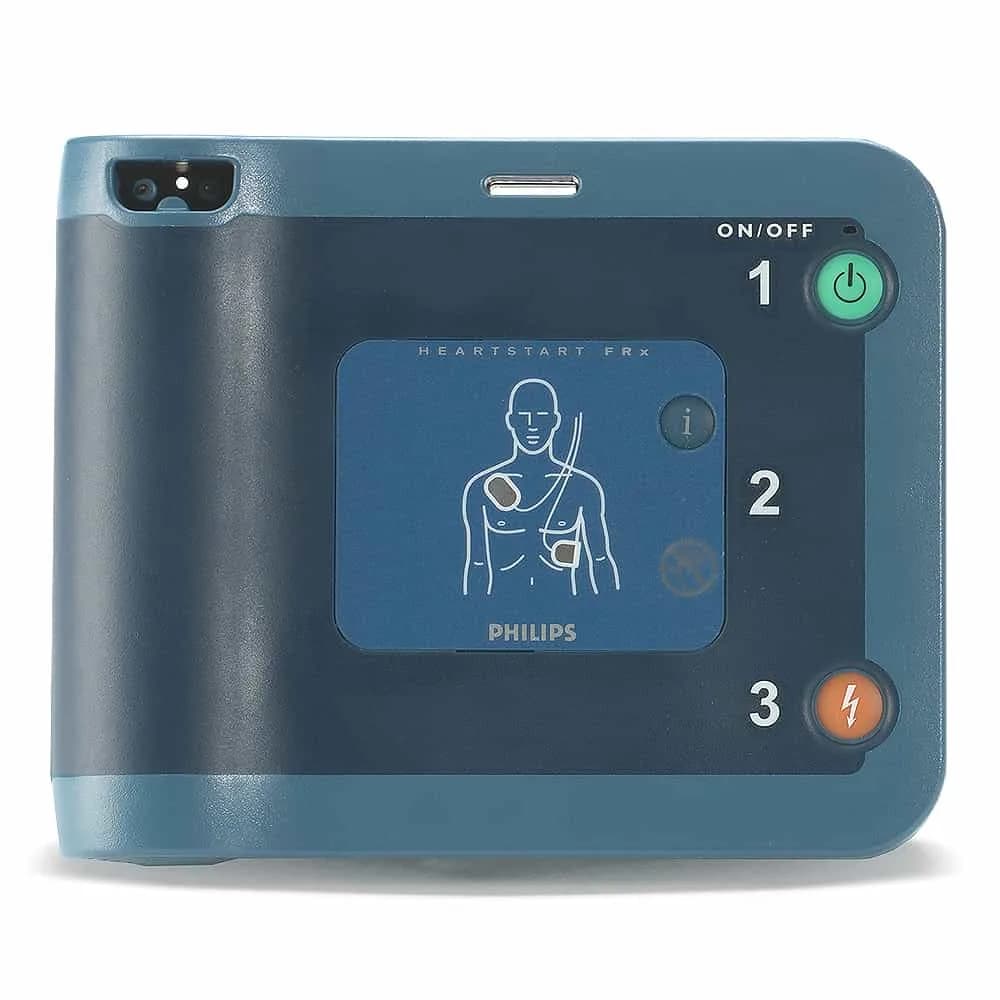
Start with the label on each AED
Suppose a Dubai school buys supplies for its junior campus and sports hall together. Both inventory entries say “Philips HeartStart”. Ask each custodian for the model printed on the device before combining the order. The FRx owner’s manual identifies the defibrillator as model 861304.
This matters if the other device is a HeartStart HS1. Philips lists different pad cartridges for that device. Keep its order separate until the buyer has checked its own accessory list. A photo of a carrying case or a supplier description such as “school AED pads” does not establish compatibility.
References: Philips HeartStart FRx Owner’s Manual · Philips HeartStart SMART Pads II instructions
Ask the supplier to itemise pads and key
Philips identifies the FRx SMART Pads II as 989803139261 and the FRx Infant/Child Key as 989803139311. The key changes the operating mode. It is a separate accessory from the pads, so replacing an expiring pad set and equipping a second FRx with a missing key are different purchases.
For example, staff at the junior campus confirm that their key is present but their pad set is due for replacement. The sports hall confirms that its FRx has in-date pads but no key. The buyer can request one pad set for the junior campus and one key for the sports hall. Record any spare pad requirement on a separate line.
References: Philips HeartStart FRx Owner’s Manual · Philips Infant/Child Key instructions
Check the delivery against each station
Ask for a written breakdown showing each reference, quantity, intended campus and whether the accessory is included in a bundle. For dated pads, agree the minimum remaining shelf life your school will accept before confirming the order.
At delivery, compare the reference on the unopened pad pack with the purchase order, record its printed expiry, and match the key to the intended FRx station. Ask the named custodian to confirm receipt at the cabinet. A signature at the central store alone cannot tell the sports team where its key ended up.
References: Philips HeartStart FRx Owner’s Manual
Two-campus purchase order example
| Destination | Verified finding | Order line |
|---|---|---|
| Junior campus | FRx confirmed, key present, pads due for replacement | 1 × SMART Pads II, 989803139261 |
| Sports hall | FRx confirmed, pads in date, key missing | 1 × Infant/Child Key, 989803139311 |
| Any other building | Only “HeartStart” recorded | Hold this line until the device model is identified |
Questions before you order
Does a quote for an FRx automatically include the Infant/Child Key?
Ask the supplier to confirm inclusion in writing. Philips lists the key among accessories available separately. Record it explicitly when comparing bundles.
Can we buy the same child accessories for our FRx and HS1?
Use the accessory list for each model. Philips lists SMART Pads II for the FRx and different cartridges for the HS1. The FRx Infant/Child Key is specific to the FRx.
Sources & scope
This is a purchasing guide. Your qualified safety lead should confirm the current requirements for your site. It is not a clinical protocol or a compliance certificate.
- Philips Infant/Child Key instructions
FRx-specific key and use of the same SMART Pads II for adults and children. Checked 19 November 2026.
- Philips HeartStart FRx Owner’s Manual
Appendix A lists the device model and accessory reference numbers. Checked 19 November 2026.
- Philips HeartStart SMART Pads II instructions
The compatibility table distinguishes FRx pads from HS1 cartridges. Checked 19 November 2026.
Prepared with AI assistance and checked against the cited sources. No clinical reviewer is claimed. Read our editorial policy or send a correction.
Explore the catalog
These products are available for enquiry. Specifications, contents and delivery are confirmed in your quotation.